

QR code scavenger hunt and quiz walk: a step-by-step guide
For: Preschool · Primary school · Middle & secondary school · After-school club
A quiz walk (popular in Sweden as a "tipspromenad") gets students moving while they learn. With QR codes you never have to reprint the question cards. The questions live behind the codes, and since the content of a Cloud QR code can be changed after it has been printed, the same signs can be reused with new questions all term.
It works in the classroom, in the corridor or outside in the schoolyard, and suits anything from a quick review before a test to a full theme day.
What you need
- Cloud QR on an iPad or phone to create the codes
- One or more devices for scanning, ideally with Cloud QR Scanner
- A printer, plastic sleeves or laminator, and sticky tack or cable ties
- Answer sheets and pencils
How to set up a QR code quiz walk
- Write the questions. Twelve multiple-choice questions is a good size for a class, fewer for younger students.
- Open Cloud QR and create one code per question using the Text source. If you want the question read aloud, choose Record Audio and read it instead.
- Name each code with its number, e.g. "Quiz walk 1", so you can find them again.
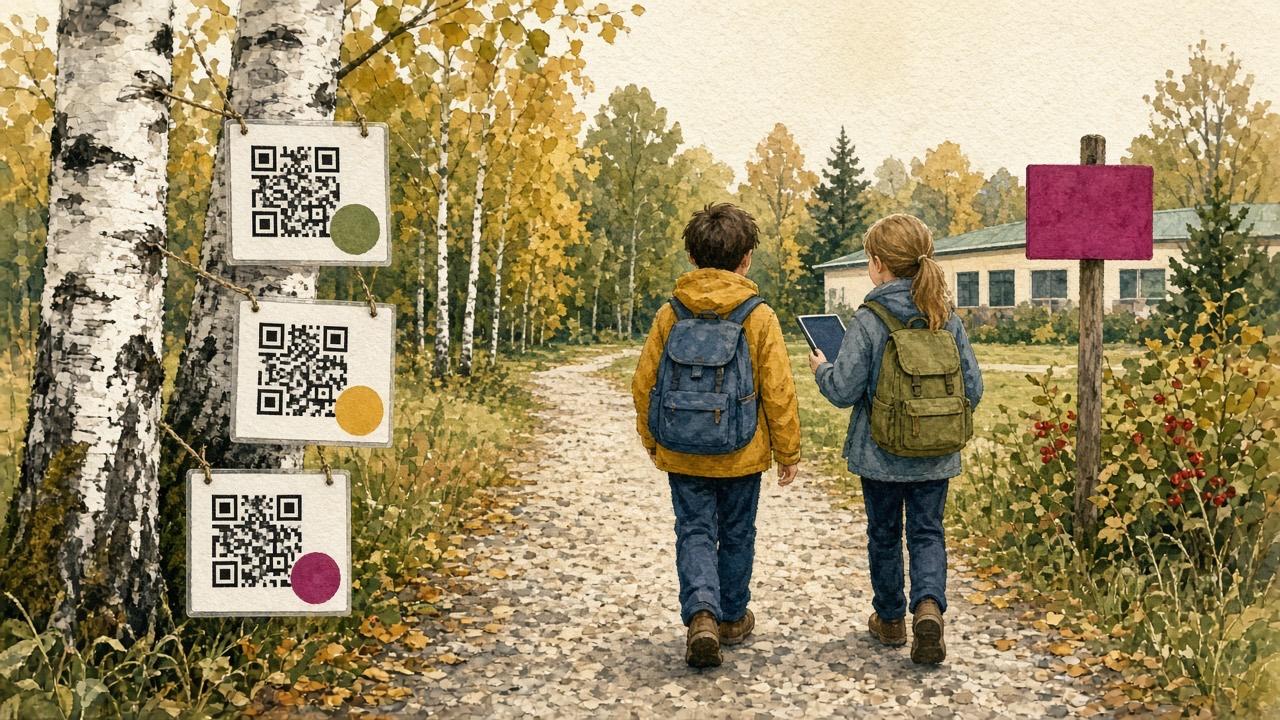
- Print the codes. Cloud QR can print several codes on one page and add a picture or number next to each code.
- Laminate the signs and put them up in order along the route.
- Scan every code once before the students head out to make sure everything works.
- Hand out answer sheets. Students work in pairs or small groups, scan and write down their answers.
- Go through the answers together afterwards, or put the answer key behind a final QR code at the finish.
Preschool version: listen and find
In preschool the teacher holds the device and does the scanning. Record clues like "I live in the forest and eat nuts. Who am I?" and let the children find the right picture or object. Animal sounds work well too, see QR codes with animal sounds.
The children stay active with their bodies and the conversation, and the screen is only used to play the sound.
Ideas for different subjects
- Math: one problem per station, with the answer pointing to the next clue.
- Languages: vocabulary, synonyms or sentences to translate.
- History and science: pictures of places, animals or plants with a question for each.
- Treasure hunt: each code reveals where the next one is hidden, and the last one leads to the treasure.
- Student-made quiz walk: let students write the questions for each other at the end of a unit.
Tips for a smooth hunt
- Keep the same signs all term and only change what the codes show in the app.
- Make the codes available offline in Cloud QR Scanner if mobile coverage is poor along the route.
- Put the codes at student eye level and spread them out to avoid queues.
- Mix text, audio and images. Audio questions make the hunt accessible to students who cannot read yet.
Questions and answers
Do students need their own phones?
No. One iPad or phone per group is enough, and in preschool the teacher needs just one device.
Can I reuse the QR codes for a new hunt?
Yes. Change the content of the codes in Cloud QR and leave the printed signs where they are. Learn how to create QR codes.